AIPractical AI training

Don’t just use AI. Learn to make something with it.

Whether you’re starting from zero or already use ChatGPT every day, learn to turn ideas into useful tools and better ways of working. Develop the judgement to check what AI produces, and to adapt it yourself.

MBA, IIM AhmedabadFounder of LEAD

Live small-group learning and personalised 1:1 guidance.

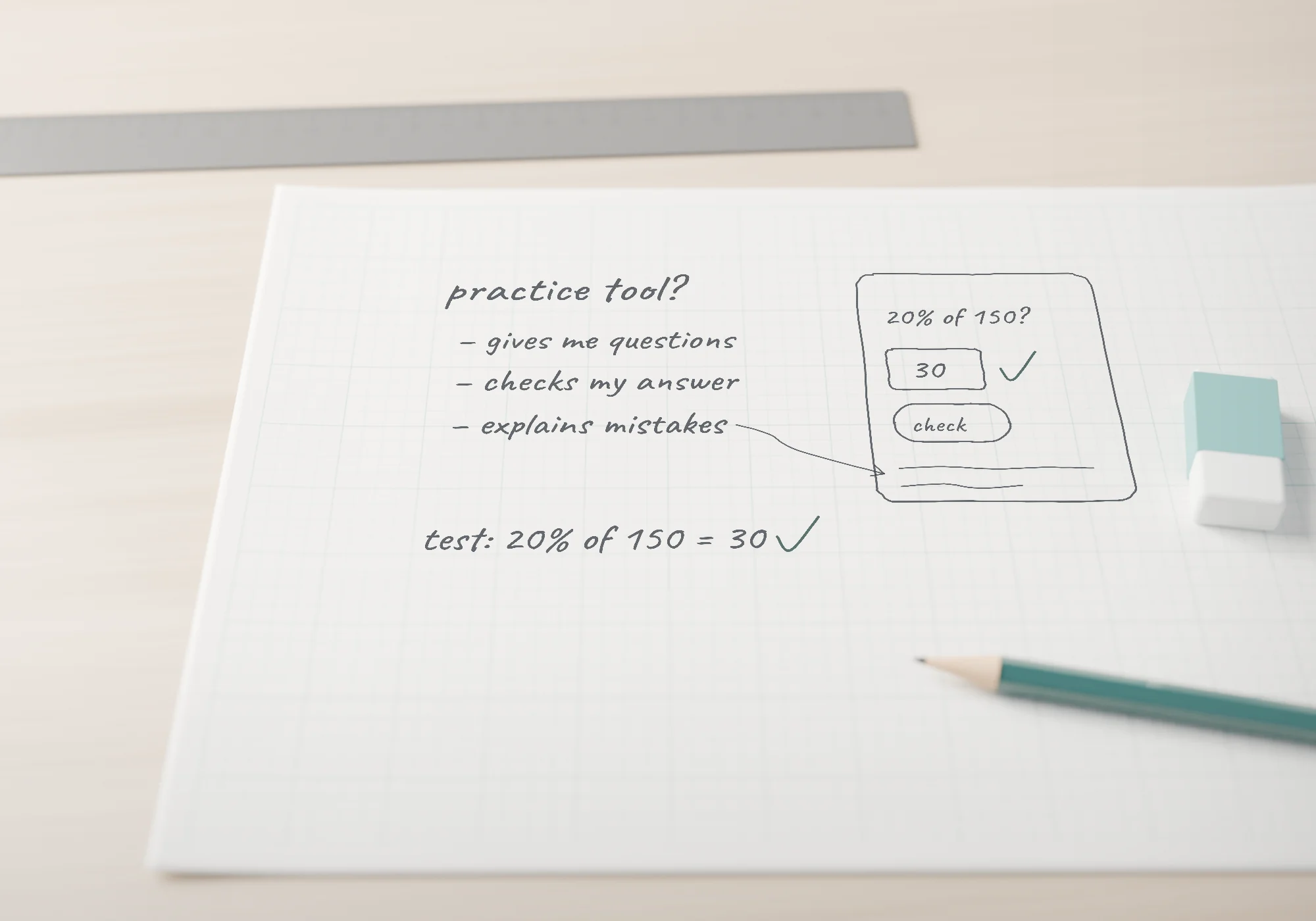
Pencil notes on graph paper: “Practice tool? Gives me questions, checks my answer, explains mistakes. Test: 20% of 150 = 30.” Beside them, a rough sketch of the tool, with a teal pencil, a steel ruler and an eraser on a pale oak desk.

Wherever you’re starting, there’s a sensible next step.

  • Starting from zero

    “I didn’t realise I could make something with AI.”

    You don’t need technical experience. We start with purposeful everyday use and build towards your first small tool.

  • Using it every day

    “I use it all the time. Maybe only a narrow part of it.”

    Using AI often isn’t the same as creating with it. The next step is learning to make, check and adapt useful work.

  • Holding an idea

    “I have an idea, but I don’t know how to make it work.”

    Then we start from your idea, at a size you can build, test and improve.

One subject, two requests

From an explanation to a tool you can use.

Both requests below are about percentages, and both are useful. What changes is what you’re left with, and how much of the result depends on your decisions.

An illustrative example of a learning tool

Asking for an answer

You ask

“Explain percentages to me.”

AI answers

Per cent means “out of a hundred”, so 20% is 20 out of every 100, or 0.2.

To find 20% of 150, multiply: 0.2 × 150 = 30.

A quick check: 10% of 150 is 15, so 20% is twice that, 30.

A week later

“Can you explain percentages again? And give me a few to practise.”

What you’re left withA clear, correct explanation. Exactly right when you need to understand something once.

Creating something you can use

You ask

“Help me create a small percentage-practice tool that gives me questions, checks my answers and explains mistakes.”

Your part

  1. You set the purpose

    “Quick practice at finding a percentage of a number.”

  2. You choose the level and the feedback

    “Whole numbers to start. When I’m wrong, show me the working.”

What AI builds

Percentage practice

Illustrative learning exercise

Quick practice at finding a percentage of a number.

Feedback: show the working

Correct. 12.5% = 0.125, and 0.125 × 80 = 10.

Your turn: answer, then press Check. Nothing you type leaves this page.

  1. You check it with answers you know

    “20% of 150 should be 30. If I type 3, a common slip, it should explain why.”

    • 30 → Correct
    • 3 → explains the decimal point
  2. You change a requirement

    “Now add harder questions, with decimals.”

  3. You check again

    “12.5% of 80 should be 10.”

    • 10 → Correct

What you’re left withA tool you can use every time you practise. You know it works because you checked it, and you know how to change it.

The tool came from AI. The judgement came from you.

Not every question needs a tool. When the same need keeps coming back, it can be worth making one. And a single request rarely produces something finished and correct: the learning is in the purpose you set, the answers you check and the changes you make. That’s what we practise, starting with tools as small as this one.

What you’ll learn

From better answers to your first working tool.

The aim isn’t to know more about AI. It’s to be able to do more with it yourself, and to know when a result can be trusted.

  1. Foundation · part one

    Use AI on purpose

    Learn to define a task, give useful context, work with the information that matters, refine what comes back, and recognise when it needs checking.

  2. Foundation · part two

    Make your first small tool

    With AI’s help, create a first small tool that does something useful. Then test it and adapt it.

    You’re ready to move on when you can

    1. describe a useful need and use AI to create a small tool
    2. check that it works, using inputs whose answers you know
    3. make a meaningful change, and check the result again
  3. Beyond the foundation

    Go further

    With a suitable starting point, build several small tools, reusable approaches and simple connected workflows. Personalised work can become more involved when your capability and the scope justify it.

AI can help at every step. You don’t need to write code unaided or explain every line. But watching a demonstration, or opening the code once, isn’t the same as being in control of the result. That’s the difference we work on.

What could you make first?

Possible first creations, not a fixed list. What you make depends on where you start and what’s useful to you.

  • Learning

    A practice tool that checks answers and explains mistakes

  • Personal

    A small calculator or tracker, from splitting a trip’s costs to keeping a habit going

  • Creative

    A simple web page for something you return to: a recipe that scales, a set list, a club’s fixtures

  • Documents

    A reusable way to work with documents: summaries in your format, checked against the source

  • Work

    A small workflow that removes repetitive steps: meeting notes in, a standard follow-up out

Behind every stage, the same four questions.

They aren’t only for percentages. Here they are, asked of a completely different first tool.

IllustrativeSharing the costs of a trip

  1. What problem are we solving?

    Four friends, one trip, a pile of receipts. Who owes whom, without a long argument at the end?

  2. What information is needed?

    Who paid for what, and who shared each cost. Not everyone came to every dinner.

  3. How will we know it works?

    The balances add up to zero, and a small case worked out by hand gives the same answer.

  4. What should we change?

    One friend joined halfway. Split each cost only among the people who were there, then check again.

Why learn with me

I build with AI. I run a business with it. And I know how to teach.

I began teaching at eleven. Since then I’ve studied computer science, completed an MBA at IIM Ahmedabad, and founded LEAD Educational Institute, which I still run. I’ve taught people of different ages, nationalities and professional levels, including senior leaders.

  • I build

    So your idea can become something that works.

    I use AI to create learning tools, develop websites and support my business. That lets me help you connect an idea to a working result, and find what’s wrong when it doesn’t work.

  • I run a business

    So we make what’s worth making.

    Running a company teaches you to ask what a solution is for. I’ll help you tell a useful tool from an impressive demonstration that nobody needs.

  • I teach

    So the explanation fits you.

    I notice where you’re stuck and change the explanation, the example or the pace. That’s what a teacher adds to a tutorial.

The point is not to impress you with what I can build. It’s to help you develop capabilities you can use.

Two things I’ve made with AI

For my students

Small practice exercises in the browser

The need
A student working on one specific point often needs more focused practice than a textbook page gives.
What I made
Short HTML exercises built around that one point, ready to open in any browser.
Why it matters to you
It’s the scale of a good first creation: one clear need, one small tool, checked before anyone relies on it.

For my business

A daily brief for running a school

The need
LEAD’s enquiries, students and open issues live in several shared sheets. I needed a quick picture of what needed attention, without opening each one.
What I made
An operational system that reads those records and uses AI to write a short brief of what needs attention. People still decide what happens next.
Why it matters to you
Useful automation usually starts with a recurring task and information you already keep. That’s where I’ll ask you to look in your own work.

This website is a third example. I shaped its vision, content and experience, with AI tools helping me design and build it. You won’t start with a website. You’ll start with something small that works.

Ways to learn

Learn in a small group, or one to one.

Both build the same core: defining, creating, checking and adapting useful work with AI. They differ in where you start, how fast you move and how much is shaped around you.

Live small-group learning

By enquiry

The foundations and your first useful creations, learned alongside people starting from a similar level.

Best for
Starting from zero, or using AI often but in a narrow way.
How it works
Shared explanations, practice, questions and discussion. Other people’s questions and ideas become part of your learning.
Your focus
The foundations, then a first small tool you make, test and adapt.
Pace
Set for the group, from an appropriate starting level. Complete beginners and experienced builders don’t follow an identical path.
Ask about the next group

Dates and arrangements for the next group are shared when you ask.

Personalised 1:1 learning

By enquiry

Learning shaped around your starting point, your goals and the work or project that matters to you.

Best for
A specific goal, a particular pace, or an idea or project you want to make real.
How it works
Not the group programme delivered privately. We decide what to learn from what you need to be able to do.
Your focus
Your own tasks or project, worked on together as learning. You make it; I teach, review and help you troubleshoot.
Pace
Yours. It can move faster, or go deeper, where that makes sense.
Discuss 1:1 learning

We agree the focus and format after a first conversation. This is teaching, not a done-for-you service.

Not sure where you stand?

Tell me what you use AI for today and what you want to make. We can work out a useful starting point together.

Ask where to begin
  1. Starter:Uses AI mainly for answers and single tasks
  2. Operator:Creates and adapts small tools and simple workflows
  3. Builder:Connects tools, information and steps
  4. Architect:Designs and evaluates whole systems
Foundation learning, including a first small tool, takes you from Starter towards Operator.

Questions

Before you start.

Straight answers to the questions people ask most. If yours isn’t here, ask it directly.

Ask a question

Is it for me?

I’m a complete beginner. Is this for me?

Yes. You don’t need technical experience to begin. The foundation starts with purposeful everyday use and builds towards your first small working tool, at a pace that makes sense for where you’re starting.

I already use ChatGPT every day. Will I learn anything new?

Probably, but it depends on what you already do. Using AI often isn’t the same as being able to create, check and adapt useful work with it. If you’re already making simple tools, the foundation may not be the right fit, and one-to-one learning can start further along.

Do I need to know how to code?

Not to begin. AI can write most of what a small tool needs, while you learn to describe what you want, test it and ask for changes. Some creations do involve code, and as you go further, a basic understanding of what it’s doing becomes useful.

How do I know where to begin?

Tell me what you use AI for today and what you want to make. We can work out a useful starting point together.

What you’ll learn

What will I actually learn to do?

First, to use AI on purpose: define a task, give useful context, work with the relevant information, refine what comes back and recognise when it needs checking. Then to create a first small tool with AI’s help, check that it works with inputs you can verify, change it, and check it again.

What kinds of tools could I make?

Early creations are small and useful: a practice tool that checks answers and explains mistakes, a calculator or personal tracker, or a simple web page for something you do often. What you make depends on your starting point and the scope we agree, but creating a first working tool is part of the foundation, not an advanced extra.

Is this mainly a collection of prompts?

No. Prompts copied from a list stop working as soon as your situation changes. You’ll learn to define what you need, judge what comes back and adapt it, so you can write your own instructions for things no list anticipated.

Why pay when tutorials and AI itself can teach me?

You can learn a great deal on your own, and plenty of people do. A teacher adds a sensible path, feedback on your actual work, help when something doesn’t work, and learning that stays attached to a task that matters to you. Those are hard to get from a tutorial.

How will I know whether I’m improving?

By what you can do with less help: complete a task, check it and adapt it with more independence than before. The clearest evidence is your own work, something you made, tested and changed yourself.

Will the learning become irrelevant when AI tools change?

The tools will change. The skills underneath change much more slowly. Defining a task clearly, giving useful context, checking results and adapting them all carry from one tool to the next. We use current tools, but the aim is judgement you can take with you. You’ll still need to keep practising as things move.

Choosing and practicalities

Should I choose a group or 1:1?

Choose the group if you’d like a shared foundation, some structure and the benefit of other people’s questions. Choose 1:1 if you have a specific goal, need a particular pace, or want the learning built around your own work or project. If you’re unsure, tell me what you’re hoping to do and I’ll suggest the better fit.

How much does it cost?

Ask me about live small-group learning and current availability. Personalised 1:1 learning is priced by enquiry, once we’ve agreed its focus and format. If you’re asking on behalf of a team, see AI training for businesses.

When does it run, and how are sessions delivered?

The timetable and delivery arrangements for the next group are shared when you enquire, so you get current details rather than a date that may have changed. For 1:1 learning, we agree the schedule and format together.

Which tools will I need? Are paid subscriptions required?

That depends on the programme and on what you want to make. Ask about software requirements and any additional costs when you enquire, so you know exactly what you’ll need before you start.

Can we work on my own job, business or personal project?

Yes, particularly in 1:1 learning, where your own work can become the material we learn from, as long as its scope suits the time and you can share the information involved. We work on it together so that you can do it yourself. It’s learning, not commissioning me to build a complete system for you.

Can my company arrange learning for several people?

Yes. Team learning is arranged around your organisation’s tools, everyday work and processes. Start at AI training for businesses.

Your next step

What would you like to be able to make?

Tell me where you’re starting from and what you’d like to be able to do. I’ll suggest whether a small group or one-to-one learning fits you better.

Handwritten beside a blank index card: Start small. Make it yours.

Ask about learning

Or ask where to begin